
 45 min read
 Beginner Level
 Lesson 3 of 12
Lesson Objective
By completing this lesson, you will understand what a Digital Audio Workstation is, learn about the major DAW options available, and develop criteria for selecting the right software for your specific audio production goals. This knowledge prepares you to make an informed decision before investing time learning a particular platform.
What You Will Learn
- The definition and purpose of a Digital Audio Workstation
- Core features common to all professional DAWs
- Overview of major DAW software options
- Factors to consider when choosing a DAW
- Understanding workflow differences between platforms
- The role of plugins and virtual instruments
Required Knowledge or Tools
You should have completed Lessons 1 and 2 before proceeding. Understanding digital audio basics and sound wave properties provides context for the features and capabilities discussed in this lesson.
- Completion of Lessons 1 and 2
- Access to a computer capable of running audio software
- Willingness to explore different software options
Core Concept Explanation
A Digital Audio Workstation is software that enables recording, editing, mixing, and producing audio content entirely within a computer environment. DAWs replaced traditional hardware mixing consoles and tape machines, consolidating their functions into software that runs on standard computers.
Essential DAW Components
Every DAW includes several fundamental components. The arrangement view displays audio and MIDI clips on a timeline, showing how elements are organized over the duration of a project. The mixer provides channel strips with volume faders, pan controls, and insert slots for adding effects processors.
Transport controls allow playback, recording, and navigation through the project timeline. A browser or library panel provides access to audio files, loops, samples, and virtual instruments. The editing workspace enables precise manipulation of recorded audio and MIDI data.
Core Functions: All DAWs handle recording, editing, mixing, and exporting. They differ in workflow design, included content, third-party compatibility, and specialized features for particular production styles.
Major DAW Options
Ableton Live excels at live performance and electronic music production. Its Session View enables non-linear arrangement and real-time clip launching. Music producers creating electronic genres often prefer Live for its intuitive loop-based workflow.
Pro Tools remains the industry standard for professional recording studios and post-production facilities. Its robust editing tools and extensive hardware integration make it the choice for commercial audio work. Most professional studios expect engineers to know Pro Tools.
Logic Pro offers comprehensive production features exclusively for macOS users. Apple's DAW includes a vast library of instruments, loops, and effects. It balances professional capabilities with an accessible interface, making it popular among home producers and professionals alike.
FL Studio originated as a pattern-based sequencer and evolved into a full DAW with particular strength in beat making and electronic production. Its lifetime free updates policy provides excellent value for long-term users.
Reaper provides professional features at a fraction of the cost of competitors. Its highly customizable interface and efficient resource usage make it attractive for users who prioritize flexibility and value.
Cubase from Steinberg pioneered many DAW features and remains strong in MIDI editing and composition. Film composers and orchestral producers appreciate its sophisticated MIDI capabilities and expression tools.
Plugins and Virtual Instruments
DAWs support third-party plugins that extend their capabilities. Effects plugins process audio by adding reverb, compression, equalization, and countless other modifications. Virtual instruments generate sounds in response to MIDI input, simulating synthesizers, drums, orchestral instruments, and more.
Plugin formats include VST, AU, and AAX. Most DAWs support multiple formats, though some are platform-specific. Building a collection of quality plugins enhances any DAW's capabilities significantly.
Visual Explanation
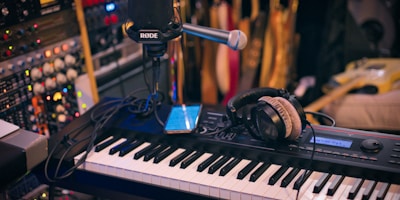
A typical DAW interface showing the arrangement timeline with multiple audio tracks and the mixing console below.
The image represents a common DAW layout. The upper section typically displays the arrangement view where audio regions appear as blocks on horizontal tracks. Below, you can see the mixer section with channel strips providing volume, panning, and effect controls. This visual organization mirrors the signal flow from individual tracks to the final stereo output.
Why This Lesson Matters
Choosing a DAW is one of the most significant decisions in your audio production journey. You will invest hundreds of hours learning your chosen software, developing muscle memory for its shortcuts and workflows. Switching DAWs later means relearning these patterns from scratch.
The best DAW is the one that matches your creative workflow and production goals. An electronic producer working with loops and samples has different needs than a podcast editor working with dialogue or a film composer writing orchestral scores. Understanding your requirements before committing helps ensure you choose wisely.
Recommendation: Download trial versions of several DAWs before purchasing. Spend time with each one completing a small project. Your hands-on experience will reveal which interface and workflow feel most natural for how you think about audio production.
Step-by-Step Tutorial
Follow this process to evaluate and select an appropriate DAW:
- Define Your Goals: List the types of projects you plan to create. Are you recording live instruments, producing electronic music, editing podcasts, or scoring video? Different goals point toward different tools.
- Assess Your Platform: Determine which operating system you use. Some DAWs are cross-platform while others are exclusive to Windows or macOS. Your current computer also dictates minimum specifications.
- Research Options: Study the major DAWs in detail. Watch tutorial videos, read user forums, and understand each platform's strengths and target user base.
- Download Trials: Install free trials of your top candidates. Most professional DAWs offer time-limited or feature-limited demo versions for evaluation.
- Complete Test Projects: Work through a small project in each trial DAW. Pay attention to how intuitive the interface feels and whether the workflow matches your mental model.
- Consider Long-Term Factors: Evaluate pricing models, update policies, community resources, and job market demands before making your final decision.
Common Mistakes and Misunderstandings
Mistake 1: Believing one DAW is objectively better than others. Professional work has been produced on every major platform. The best DAW is the one you learn deeply and use effectively.
Mistake 2: Choosing based solely on what famous producers use. Their choice was influenced by historical factors, contracts, and workflows that may not apply to your situation.
Mistake 3: Constantly switching DAWs seeking the perfect software. Time spent learning shortcuts, templates, and workflows in one DAW is more valuable than surface familiarity with many.
Mistake 4: Ignoring the learning resources available for each platform. A DAW with extensive tutorials and an active community provides faster learning than an obscure option with limited documentation.
Practical Example or Scenario
Consider three different users making DAW selections. Sarah creates ambient electronic music using synthesizers and samples. She evaluates Ableton Live, attracted to its Session View for improvising with loops and its strong MIDI capabilities. After the trial period, she finds Live's workflow perfectly matches her creative process.
Marcus runs a podcast production business, editing dialogue and adding music beds to client projects. He tries several DAWs and settles on Reaper for its efficient audio editing, batch processing capabilities, and low cost that helps his small business budget.
Jennifer aspires to work in professional recording studios. She chooses Pro Tools despite its higher cost because the industry standard status means her skills will transfer directly to studio employment. She supplements with a free DAW at home for personal projects.
Lesson Summary
Digital Audio Workstations provide the software environment where all modern audio production happens. Core features like recording, editing, mixing, and exporting are common across platforms, but workflow design and specialized capabilities vary significantly.
Major options include Ableton Live for electronic production, Pro Tools for professional studios, Logic Pro for macOS users, FL Studio for beat making, Reaper for value seekers, and Cubase for composers. Each serves its target users effectively.
Choose your DAW based on your production goals, platform requirements, and personal workflow preferences. Invest in learning one platform deeply rather than switching frequently. The skills you develop apply broadly once you master fundamental concepts.
The next lesson covers Audio Recording Basics, where you will learn to capture high-quality audio in your chosen DAW.