
 55 min read
 Advanced Level
 Lesson 27 of 35
Lesson Objective
This lesson covers the art and craft of sampling in music production. You will learn the history and cultural context of sampling, how samplers work, the techniques used to chop and rearrange existing recordings, how to use professional sample libraries effectively, how to build your own sample-based instruments, and the legal and ethical considerations surrounding the use of copyrighted material in your productions.
What You Will Learn
- The history of sampling and its role in hip-hop, electronic, and pop music
- How hardware and software samplers work
- Chopping techniques: slicing loops into individual hits and rearranging them
- Flipping samples: transforming source material into new compositions
- Using commercial sample libraries and royalty-free sample packs
- Building your own sampler instruments from recorded sounds
- Copyright law, sample clearance, and legal alternatives
Required Knowledge or Tools
Sampling builds on a broad foundation of audio production skills. You should be comfortable with your DAW's arrangement view, audio editing, and basic MIDI programming before working with samplers.
- Completion of Lessons 1–10 (foundational production skills)
- A sampler instrument: Ableton Simpler/Sampler, Native Instruments Kontakt, Logic EXS24/Quick Sampler, or similar
- Audio material to sample: vinyl records, sample packs, or your own recordings
- Understanding of basic music theory (rhythm, melody, harmony)
Core Concept Explanation
Sampling is the practice of taking a portion of an existing sound recording and reusing it as an element in a new composition. The sampled material can be used as-is, chopped into pieces and rearranged, pitch-shifted to create melodies, time-stretched to fit a new tempo, or processed beyond recognition. Sampling has been central to the development of hip-hop, electronic music, and countless other genres since the late 1970s.
A Brief History of Sampling
The roots of sampling lie in musique concrète — the experimental practice of composing with recorded sounds that emerged in France in the late 1940s. In the 1970s, DJs like DJ Kool Herc began isolating and repeating the "break" sections of funk and soul records using two turntables, creating the rhythmic foundation of hip-hop. The introduction of affordable digital samplers in the 1980s — the E-mu SP-1200, the Akai MPC60 — brought sampling into the studio and enabled producers like J Dilla, Pete Rock, and DJ Premier to create the sample-based aesthetic that defines classic hip-hop production.
Today, sampling exists on a spectrum from direct use of recognizable recordings to subtle incorporation of processed sounds that bear little resemblance to the original. Sample libraries, royalty-free packs, and virtual instruments built from sampled sounds have made sampling accessible to producers who want the character of real instruments without the legal complications of using copyrighted recordings.
Cultural Context: Sampling is not just a technical technique — it is a form of musical dialogue with the past. When producers sample classic recordings, they are referencing and recontextualizing musical history. Understanding the cultural significance of the material you sample enriches your work and shows respect for the artists who created it.
How Samplers Work
A sampler is an instrument that records audio into memory and plays it back at different pitches and speeds in response to MIDI input. When you load a sample into a sampler and play a MIDI note, the sampler plays the sample at the pitch corresponding to that note. Playing a higher note plays the sample faster (higher pitch); playing a lower note plays it slower (lower pitch). This is the fundamental mechanism that allows a single recorded sound to be played as a melodic instrument across a keyboard range.
Modern software samplers like Native Instruments Kontakt, Ableton Sampler, and Logic's EXS24 add sophisticated features: multi-sample mapping (using different recordings for different pitch ranges to maintain realism), velocity layers (using different recordings for different playing intensities), loop points (for sustaining sounds indefinitely), and extensive modulation capabilities.
Chopping: Slicing and Rearranging Loops
Chopping is the technique of slicing a drum loop or musical phrase into individual hits or segments and rearranging them to create a new rhythmic pattern. The classic approach involves loading a break beat into a sampler, mapping each slice to a different pad or MIDI note, and then programming a new pattern using those slices.
Most modern DAWs and samplers include automatic slice detection that identifies transients in a loop and creates slice points automatically. In Ableton Live, the Slice to New MIDI Track function does this in one step. In Native Instruments Maschine, the Slice mode provides similar functionality. The result is a set of individual hits that you can trigger in any order, at any velocity, to create entirely new rhythmic patterns from the original loop.
Flipping Samples
Flipping a sample means transforming it so thoroughly that it becomes the foundation of a new composition rather than a recognizable excerpt from the original. Classic flipping techniques include isolating a short melodic or harmonic phrase, chopping it into small pieces, rearranging the pieces in a new order, pitch-shifting individual pieces to create a new melody, adding new drums and bass, and processing the sample heavily with EQ, compression, and effects.
The goal of flipping is to use the character and texture of the original recording as raw material for something new. The best flips are unrecognizable as samples — they sound like original compositions that happen to have a particular sonic character derived from the source material.
Sample Libraries and Royalty-Free Packs
Commercial sample libraries provide professionally recorded audio material that is licensed for use in music production. These range from single-hit drum samples and one-shot instrument sounds to full loops, stems, and multi-sampled virtual instruments. Royalty-free sample packs are licensed for use in commercial productions without requiring additional payment or clearance.
Major sample library providers include Splice, Loopmasters, Native Instruments, Output, and many others. These libraries offer sounds recorded by professional musicians and engineers, giving producers access to high-quality audio material that would be expensive or impossible to record independently.
Build Your Own Library: The most distinctive producers build their own sample libraries from unique sources — field recordings, found sounds, recordings of unusual instruments, or processed versions of existing sounds. A sample library built from your own recordings gives your productions a unique sonic identity that cannot be replicated by anyone using the same commercial packs.
Copyright and Sample Clearance
Using copyrighted recordings without permission is copyright infringement, regardless of how much the sample has been processed or how short it is. There is no legal "de minimis" threshold for sampling — even a single recognizable note from a copyrighted recording can constitute infringement. Clearing a sample requires obtaining licenses from both the owner of the master recording (usually the record label) and the owner of the underlying composition (usually the publisher).
For independent producers, the practical alternatives to clearing samples are: using royalty-free sample libraries, creating interpolations (re-recording the musical elements without using the original recording), or using samples from recordings in the public domain (generally recordings made before 1928 in the US, though this varies by jurisdiction).
Visual Explanation
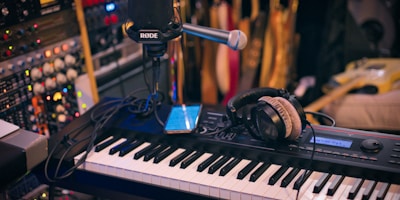
A sample library browser allows producers to search, preview, and load audio samples into their DAW. Sampler instruments map these samples across a keyboard range, enabling them to be played melodically via MIDI.
In a typical sampling workflow, the sample browser shows a hierarchical library of audio files organized by category, instrument, key, and tempo. When a sample is loaded into a sampler instrument, the instrument's interface shows the sample waveform, loop points, and mapping across the keyboard. MIDI notes trigger the sample at different pitches, and velocity sensitivity controls the volume and timbre of each hit.
Why This Lesson Matters
Sampling is one of the most important and widely used techniques in modern music production. Hip-hop, electronic music, pop, and countless other genres rely on samples as a fundamental building block. Understanding how to work with samples effectively — both technically and creatively — is essential for any producer working in these genres.
Beyond genre-specific applications, the skills involved in sampling — critical listening, creative transformation of source material, technical manipulation of audio — are broadly applicable to all areas of music production. Producers who are skilled at sampling tend to have highly developed ears and a deep understanding of how audio material can be transformed and recontextualized.
Legal Warning: Using copyrighted recordings without clearance exposes you to significant legal liability. Before releasing any music that contains samples from commercial recordings, consult with a music attorney and obtain the necessary licenses. The cost of clearance can be substantial, but the cost of infringement can be far greater.
Step-by-Step Tutorial
Follow this workflow to chop a drum loop and create a new beat:
- Choose Your Source Loop: Select a drum loop from a royalty-free sample pack or your own recordings. Choose a loop with clear, distinct hits and a tempo close to your project tempo. Import it into your DAW and match it to the project tempo using time stretching if necessary.
- Slice the Loop: Use your DAW's slice function to automatically detect transients and create slice points. In Ableton Live, right-click the clip and select "Slice to New MIDI Track." In Logic, use the Flex Time markers. Review the slice points and adjust any that are misplaced — the goal is one slice point at the beginning of each drum hit.
- Map Slices to Pads or Keys: After slicing, each hit is mapped to a separate MIDI note or pad. Play through the mapped notes to familiarize yourself with which hit is on which note. Label the notes if your sampler supports it (kick, snare, hi-hat, etc.).
- Program a New Pattern: Create a new MIDI clip and program a new drum pattern using the sliced hits. Start with a basic kick and snare pattern, then add hi-hats and other elements. Experiment with placing hits in unexpected positions to create syncopation and rhythmic interest.
- Process the Samples: Apply EQ, compression, and saturation to individual hits or the drum bus to shape the sound. Add reverb or delay for space. Pitch-shift individual hits to create tonal variation. The goal is to make the chopped loop sound like your own creation rather than a recognizable excerpt from the original.
- Add Melodic and Harmonic Elements: Build a complete track around your new drum pattern. Add bass, chords, and melody using other samples, synthesizers, or live instruments. The chopped drum loop provides the rhythmic foundation; the other elements complete the composition.
Common Mistakes and Misunderstandings
Mistake 1: Using copyrighted samples without clearance. This is the most serious mistake a producer can make. Always verify the licensing status of any sample you use in a commercial release. When in doubt, use royalty-free alternatives or create original recordings.
Mistake 2: Over-relying on sample packs without developing your own sound. Using the same popular sample packs as everyone else results in productions that sound generic and indistinguishable. Develop your own sample library from unique sources to create a distinctive sonic identity.
Mistake 3: Not processing samples enough. A sample dropped directly into a mix without processing will often sound out of place. EQ, compression, saturation, and effects are essential for integrating samples into a cohesive production.
Mistake 4: Ignoring the key and tempo of source material. Samples that are significantly off-key or off-tempo from your project will require heavy processing that degrades quality. Choose source material that is close to your project's key and tempo whenever possible.
Mistake 5: Treating sampling as a shortcut rather than a craft. The best sample-based producers spend enormous amounts of time searching for the right source material, developing their chopping and flipping techniques, and processing samples creatively. Sampling is a skill that requires as much development as any other production technique.
Practical Example or Scenario
A hip-hop producer wants to create a beat with a soulful, vintage feel. He searches through a royalty-free soul and funk sample pack and finds a four-bar piano loop with a warm, melancholic chord progression. The loop is at 95 BPM in the key of F minor.
He imports the loop into Ableton Live and uses the Complex Pro warp mode to match it to his project tempo of 88 BPM. He then slices the loop into eight segments, each containing one or two chords. He loads the slices into Ableton's Simpler and maps them across eight pads.
Rather than using the loop in its original order, he programs a new MIDI pattern that rearranges the slices, repeating some chords and skipping others to create a new four-bar phrase. He pitch-shifts two of the slices down by a semitone to add harmonic variation.
He adds a drum pattern using one-shot samples from a separate royalty-free pack, programs a bass line using a synthesizer, and adds a simple melody using a sampled Rhodes piano. The finished beat sounds cohesive and original — the piano loop is unrecognizable as a sample, serving as the harmonic foundation of a new composition.
Lesson Summary
Sampling is the practice of using recorded audio as raw material for new compositions. Samplers play back recorded sounds at different pitches in response to MIDI input. Chopping slices loops into individual hits for rearrangement. Flipping transforms source material into new compositions through creative processing and rearrangement.
Commercial sample libraries and royalty-free packs provide legally usable audio material. Building your own sample library from unique sources creates a distinctive sonic identity. Copyright law requires clearance for using commercial recordings — always verify licensing before releasing music that contains samples.
The next lesson covers Podcast Production, shifting focus from music production to the complete workflow for creating, editing, and publishing spoken-word audio content.